Preparation Event Codes
Active Rewards Codes
Copy and paste these codes on the official website to claim your event rewards:
- REFORGEDPLUS14 - Expired
- HELPMEPLUS10
- ILOVEREFORGED
Note: Make sure there are no extra spaces when copying!
How to Redeem Your Rewards
If you are new to Eden Reforged or haven't used our coupon system yet, follow these simple steps to claim your anniversary gifts:
Step 1: Log in to your account on the official Eden Reforged website.
Step 2: Go to your Profile and locate the "Redeem Rewards" section.
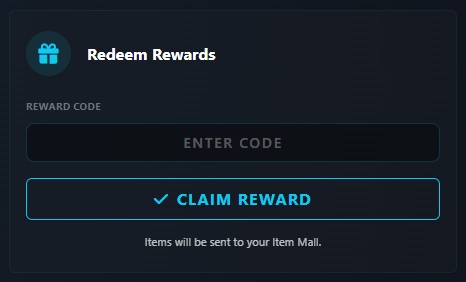
Step 3: Enter the code exactly as shown above and click the "Claim Reward" button.
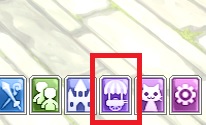
Step 4: Open your Item Mall storage ingame (default key: 'I'). If your items haven't appeared yet, please try reloading your character (re-logging, changing channels, or entering/leaving the Guild Town).
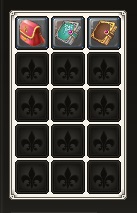
⚠️ IMPORTANT: These rewards are available to your entire account and they are Non-Transferable (NT). Once you take them out of the Item Mall storage, they are STUCK on that character. Check your character twice before clicking! Staff will not move items if you claim them on the wrong character.
Missing the Redeem section?
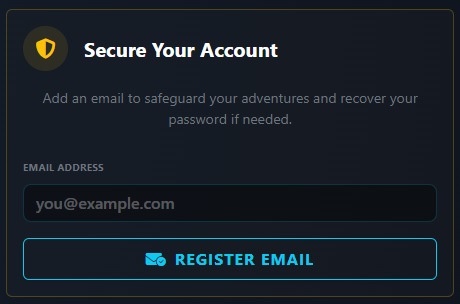
If you cannot see the "Redeem Rewards" option in your Profile, it means you haven't registered or verified an email for your account yet. Once you add and validate your email, the section will appear automatically.